 neo.js.cn@gmail.com
Delivery Print - Delivery Note and Material Label System

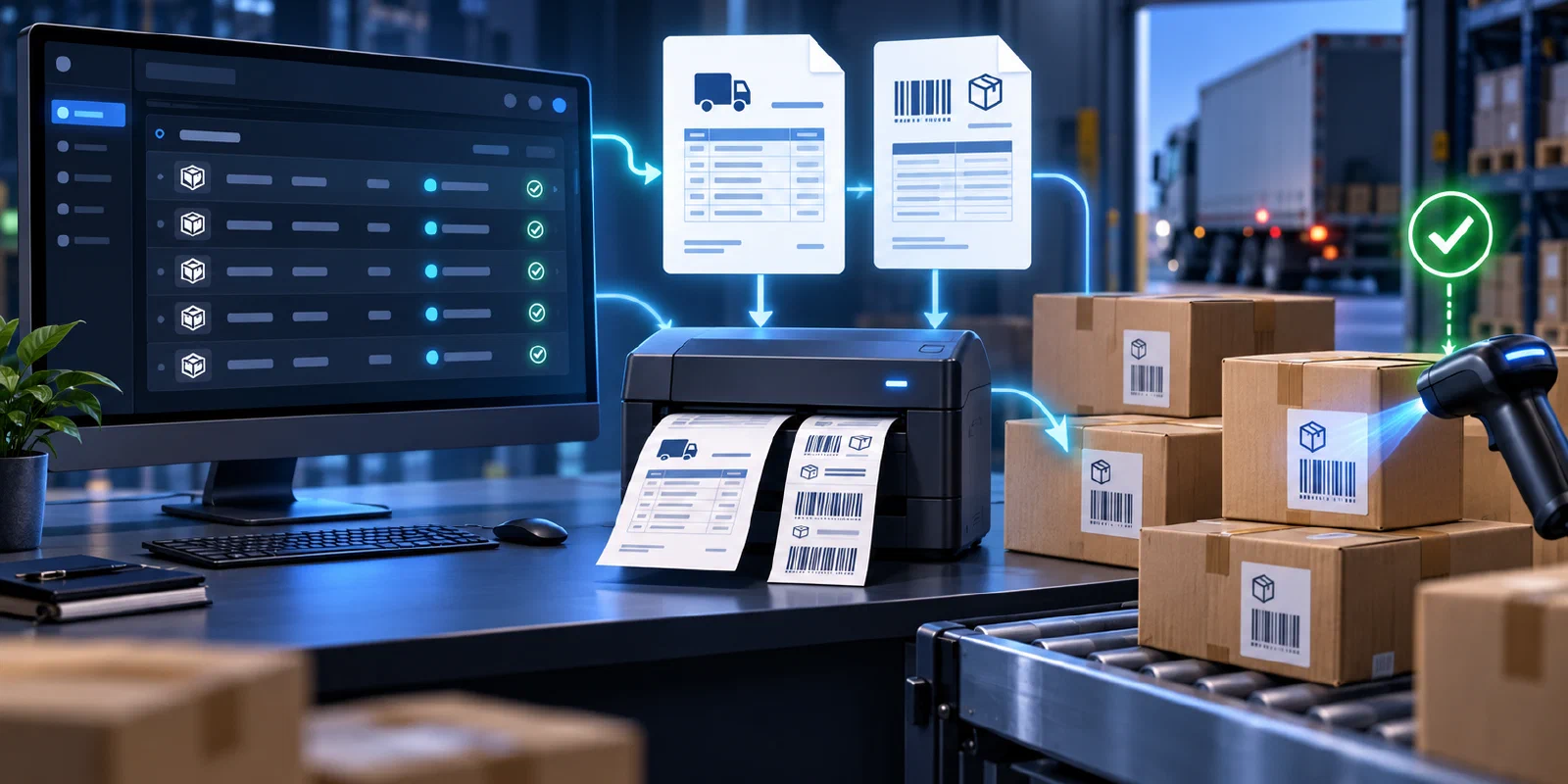
From supplier shipment data to printed documents and receiving confirmation
Standardize delivery-note preparation, carton labelling, shipment handover, and warehouse scanning in one traceable workflow.
Overview
Delivery Print is a supplier delivery-note and material-label printing system. It reduces manual document preparation by turning imported shipment details into consistent Delivery Note PDFs and Material Label PDFs, then supports the physical handover and warehouse receiving process.
The workflow connects suppliers, purchasing teams, drivers, and receiving staff. Each participant works with the same purchase order, material, quantity, document, and label information, reducing mismatches during shipment and stock-in.
End-to-End Workflow
- Supplier registration: Create an account and maintain the supplier code and company information.
- Shipment import: Upload delivery details containing purchase order, item position, material number, quantity, and related fields.
- Validation: Review imported items and correct incomplete or inconsistent data.
- Document generation: Produce a Delivery Note PDF and the corresponding Material Label PDFs.
- Print and handover: Give the delivery note to the driver and attach labels to the correct outer cartons.
- Receiving scan: Scan carton labels at the warehouse to confirm the material, quantity, and stock-in result.
Core Capabilities
- Supplier account registration and authenticated access.
- Customer, supplier, receiving, and material master-data management.
- Delivery-item import, validation, correction, and maintenance.
- Delivery-note preview, PDF generation, download, and printing.
- Material-label preview, barcode generation, download, and printing.
- Delivery-note status tracking, including generated, printed, and cancelled states.
- Label scanning and warehouse receiving confirmation.
- User, role, permission, and audit management.
Reliable Document Handling
The delivery note travels with the driver and provides shipment-level verification. Material labels are attached to individual outer cartons and provide item-level identification during receiving. Keeping the two document types linked to the same imported data helps prevent transcription mistakes and makes reprinting straightforward when a document or label is damaged.
Operational exceptions are handled explicitly: failed imports can be corrected, incorrect purchase-order or material information can be updated before regeneration, and unreadable labels can be reprinted before receiving continues.
Technical Architecture
Delivery Print is built with .NET 10, Blazor Server, MudBlazor, and Clean Architecture. It uses Entity Framework Core with SQL Server, PostgreSQL, and SQLite support. QuestPDF generates delivery notes and label documents, while barcode tooling supports machine-readable receiving labels.
The solution includes Docker deployment, role-based access control, audit capabilities, unit and integration tests, and an end-to-end verification flow covering registration, import, delivery-note creation, PDF preview, and label generation.
Source Code
The project is available on GitHub: neozhu/delivery-print.
Share on WeChat