 neo.js.cn@gmail.com

Enterprise Visitor Management Platform

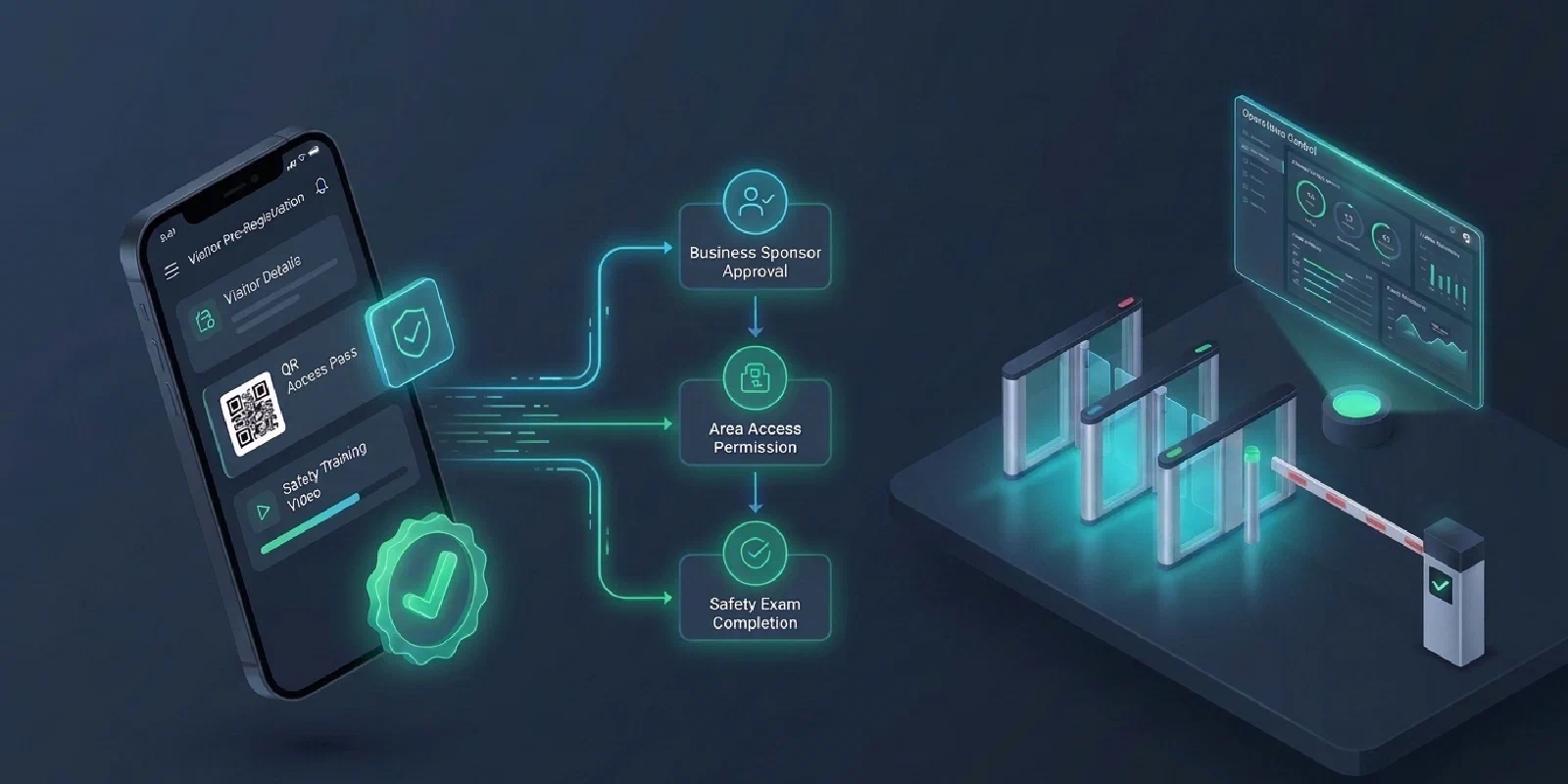
Streamlined site reception starts before the visitor arrives at the gate.
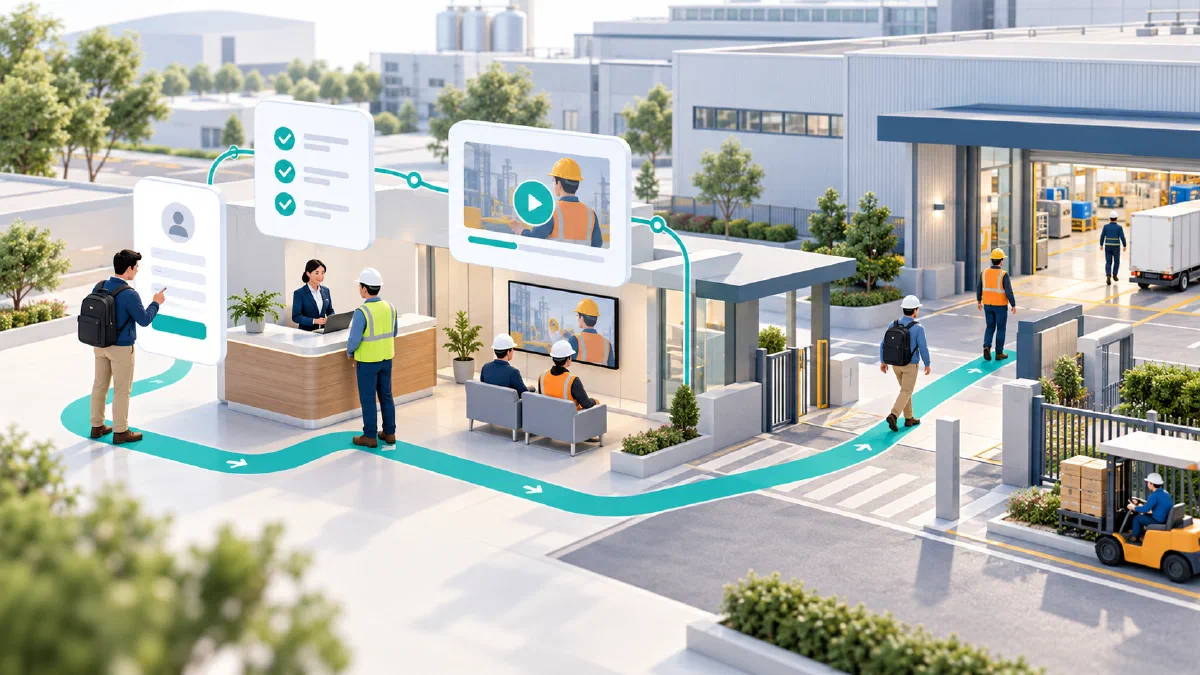
Manufacturing plants, R&D campuses, and corporate facilities welcome a wide variety of external personnel every day—from business visitors and VIP guests to logistics drivers and maintenance contractors. Relying on paper logbooks or disconnected chat messages creates gate bottlenecks and leaves critical operational questions unanswered: Did the host confirm this appointment? Did the owners of restricted areas (production floors, laboratories, warehouses, utility rooms) authorize access? Which companions and vehicles are part of the group, and exactly when did each person enter and leave the premises?
The Enterprise Visitor Management Platform brings scenario-based pre-registration, business and area approvals, reusable visitor and vehicle profiles, pre-arrival readiness checks, and gate entry/exit registration into one cohesive digital workflow. External visitors register ahead of time on their phones, while receptionists, hosts, area managers, and gate security coordinate from a shared administration workspace.
Live Demos & Source Repositories
| System Entry | URL & Scope |
|---|---|
| Management Platform Demo | visitor-training.blazorserver.com — Enterprise administration workspace built with CleanBlazorServerPro, covering the real-time operations dashboard, visit applications, approval tasks, gate entry/exit reception, and visitor/vehicle master profiles |
| Visitor Mobile Portal Demo | visitor-training-client.blazorserver.com — React mobile portal for general visitors, logistics vehicles, and contractors to pre-register visits and check application status (with instant Chinese/English switching) |
| Backend & Admin Repository | github.com/neozhu/visitor-training-management |
| Mobile Client Repository | github.com/neozhu/visitor-traning-client |
One Application for People, Vehicles, Areas & Gate Logs
Centered around the Visit Application (VisitApplication), the platform eliminates silos between front-desk reception, host departments, area owners, and gate security:
| Facility Reception Challenge | How the Platform Solves It |
|---|---|
| Different visitor types need different rules | Provides dedicated flows for General Visitors, Logistics Vehicles, and Contractors, while allowing administrators to define custom VisitType records and dynamic field templates |
| Group visits & vehicles are hard to track together | Links the primary visitor, accompanying participants (Participant), destination areas (VisitArea), and accompanying vehicles (Vehicle) inside a single application |
| Unclear authorization for restricted areas | Splits approval into Business Approval (confirmed by the host/sponsor) and Area Approvals (confirmed independently by each destination area’s owner) |
| Repetitive data entry for returning visitors | Maintains reusable master profiles for participants (Name + Phone) and vehicles (license plate), while preserving an immutable snapshot on every individual visit application |
| Gate bottlenecks during check-in | Gives gate staff a dedicated lookup and reception desk that verifies appointment dates, approval status, and pre-entry readiness per person |
| Lack of real-time on-site visibility | Tracks exactly who and which vehicles are currently on site, recording actual check-in and check-out timestamps alongside the authorized gate operator |
The Five-Step Visitor Lifecycle
- Pre-register by visit scenario: Visitors, logistics drivers, or contractors submit an appointment request from their phone browser—or an authorized internal staff member creates one on their behalf. The chosen visit type determines the required form fields, visitor notice, and whether vehicle details are mandatory.
- Coordinate business and area approvals: Upon submission, the platform routes a Business Approval task to the host and Area Approval tasks to the owners of every requested destination zone. If a destination area requires pre-arrival safety briefing or induction, visitors can complete it on their phone while approvals are in progress.
- Maintain reusable visitor and vehicle profiles: Returning visitors and regular delivery vehicles are automatically matched against master
ParticipantandVehicledirectories, keeping visit histories connected while preserving the exact details submitted for each booking. - Verify and check in per person at the gate: On the scheduled appointment date, gate security searches by name, phone number, ID, license plate, or application number. Once the application is approved and entry requirements are met, each participant is checked in individually—allowing ready group members to enter without waiting for delayed companions.
- Log departures and archive the visit: Gate staff record check-out times for each visitor and any vehicle that entered the facility. Once all entered participants and vehicles have departed, the application transitions to
Completedwith a full audit trail.
Mobile Visitor Portal: Scenario-Based Pre-Registration
Built with React 19, TypeScript, Vite, Ant Design Mobile, and Tailwind CSS, the mobile visitor portal works directly in modern smartphone browsers without requiring a native app download.
1. Scenario Entry Points & Bilingual Interface
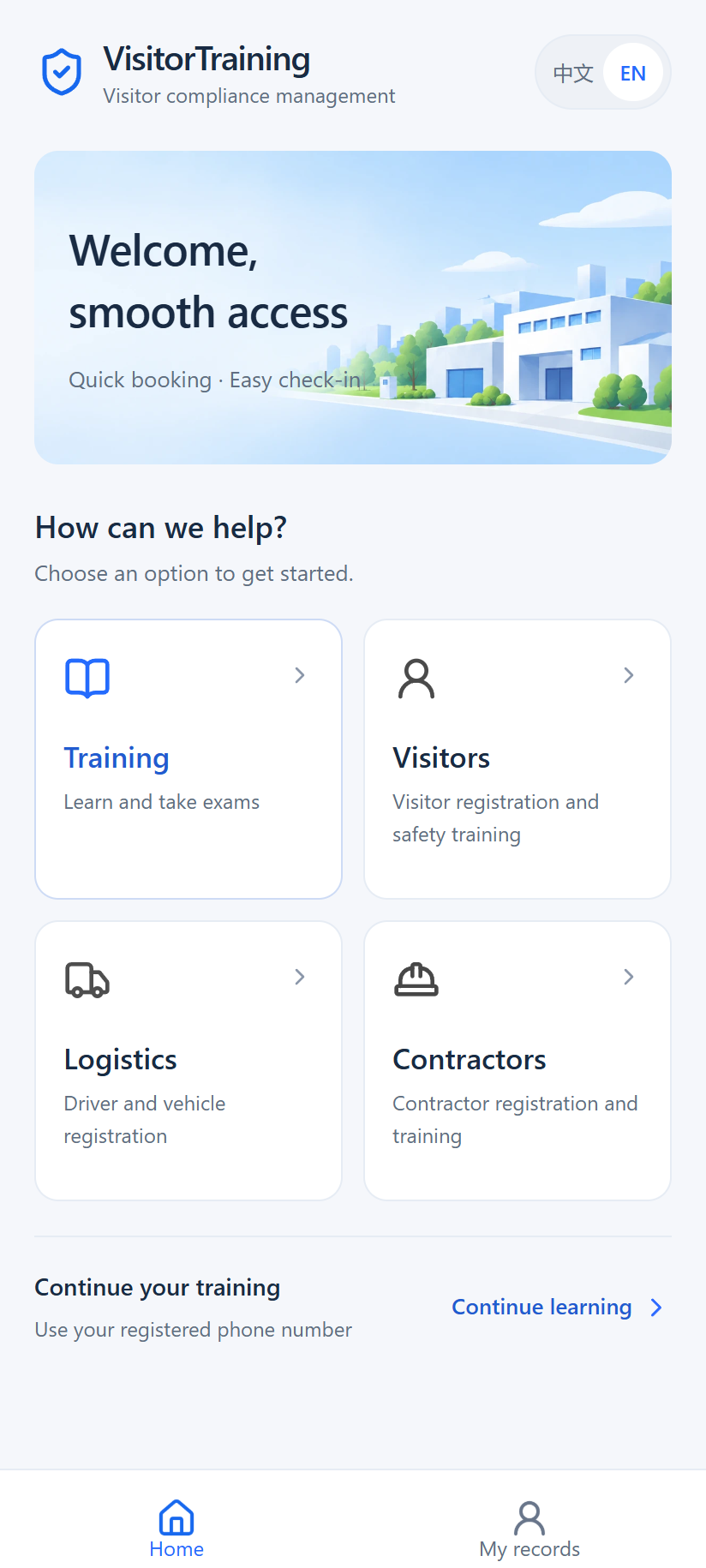
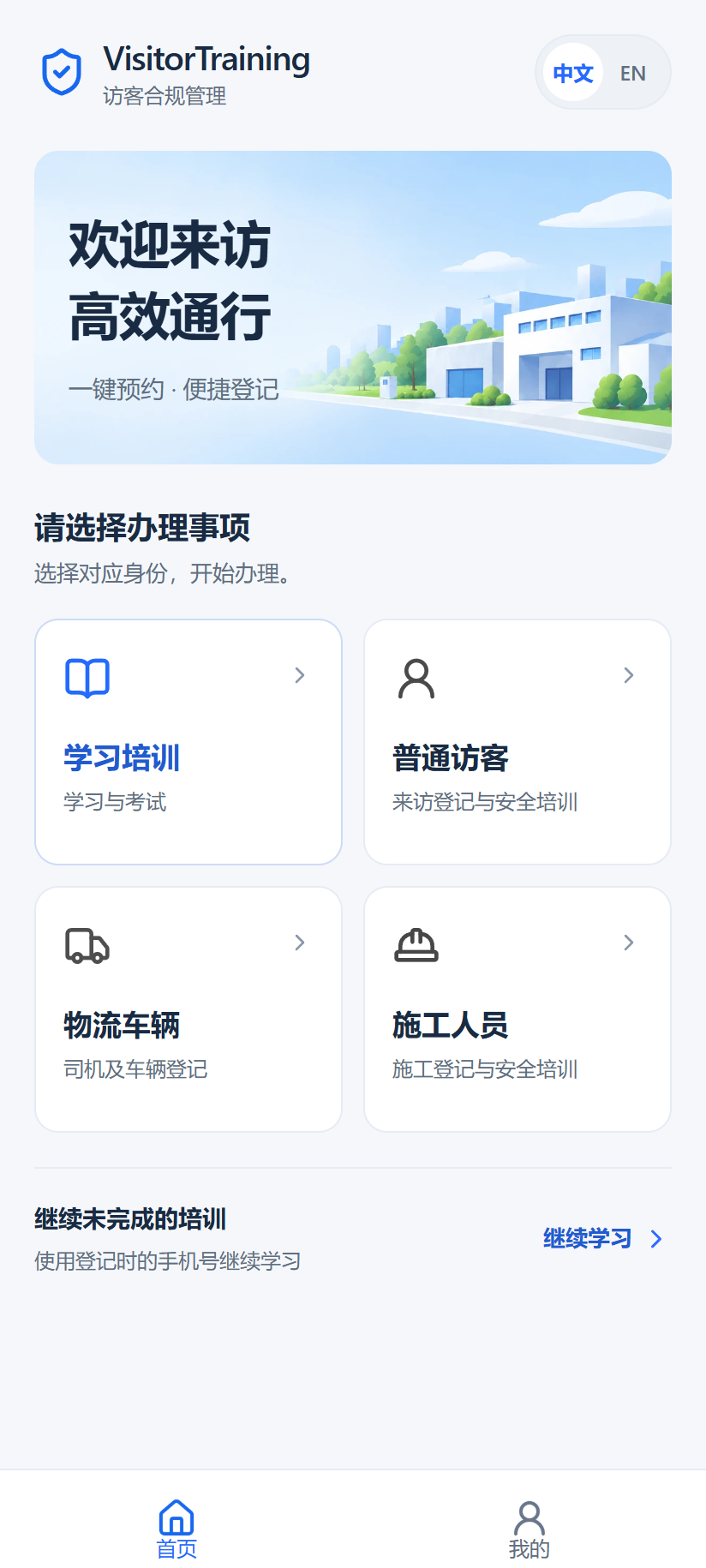
The portal home screen guides external personnel to the right registration flow—Visitors (business meetings and tours), Logistics (deliveries, pickups, and on-site transport), and Contractors (maintenance, installation, and construction work)—with instant switching between English and Chinese.
2. Visitor Notice Acknowledgement & 3-Step Guided Booking
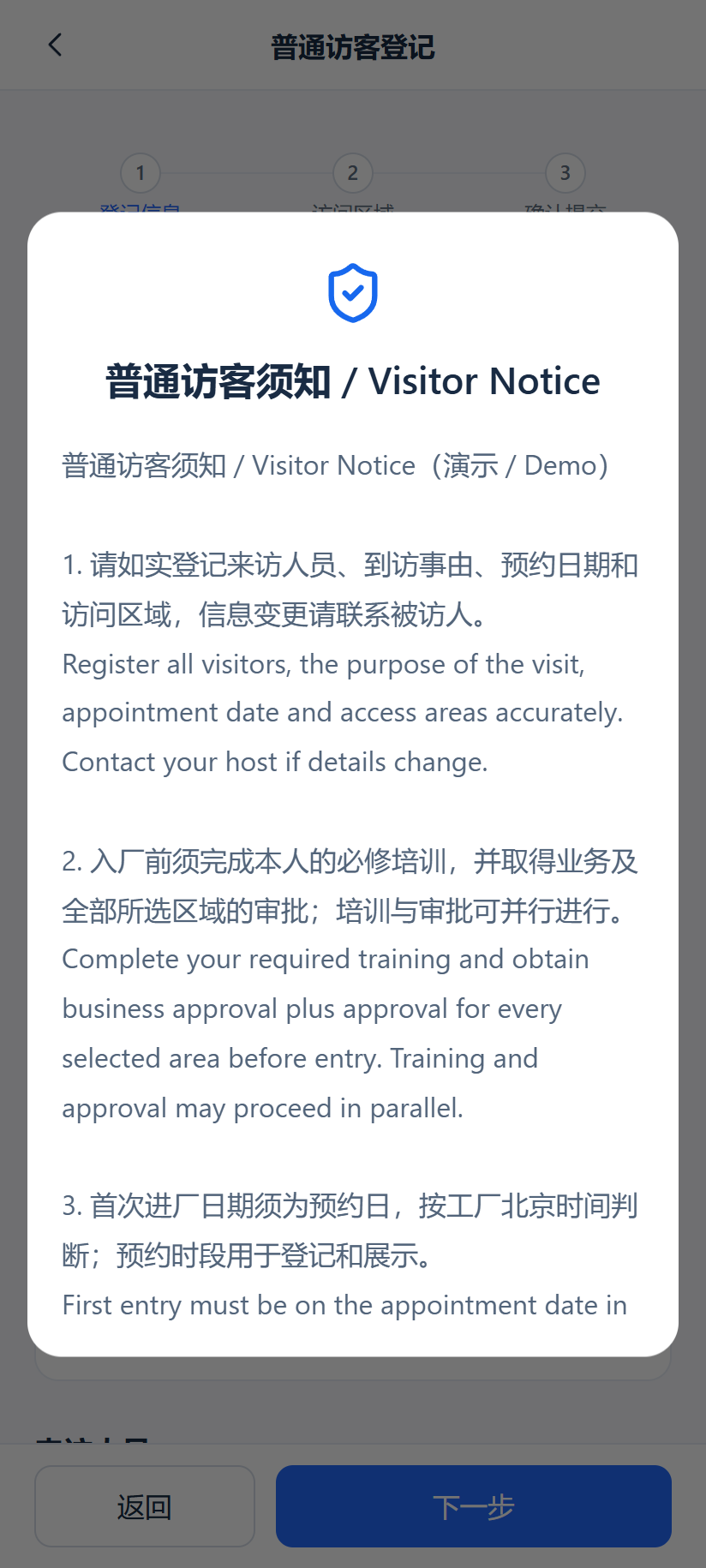
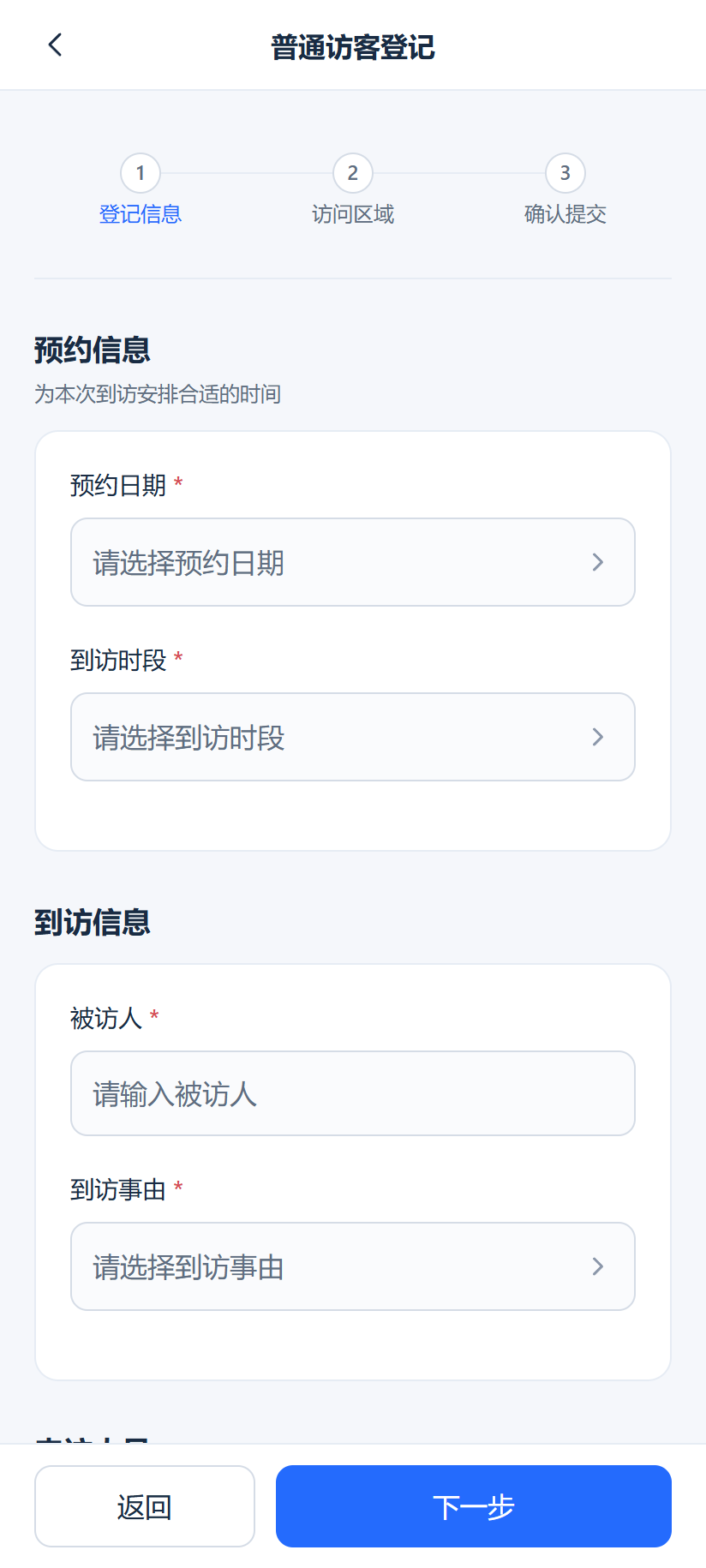
Before filling out the form, visitors review and accept the Visitor Notice configured for their visit type. A clean three-step wizard (1. Details → 2. Visit Areas → 3. Review & Submit) then collects the host information, appointment date and time slot, accompanying visitor roster, vehicle license plates, and requested site areas.
Enterprise Administration Workspace (CleanBlazorServerPro)
Internal teams manage day-to-day visitor operations through an enterprise administration portal built with .NET 10, Blazor Server, and MudBlazor.
1. Real-Time Operations Dashboard
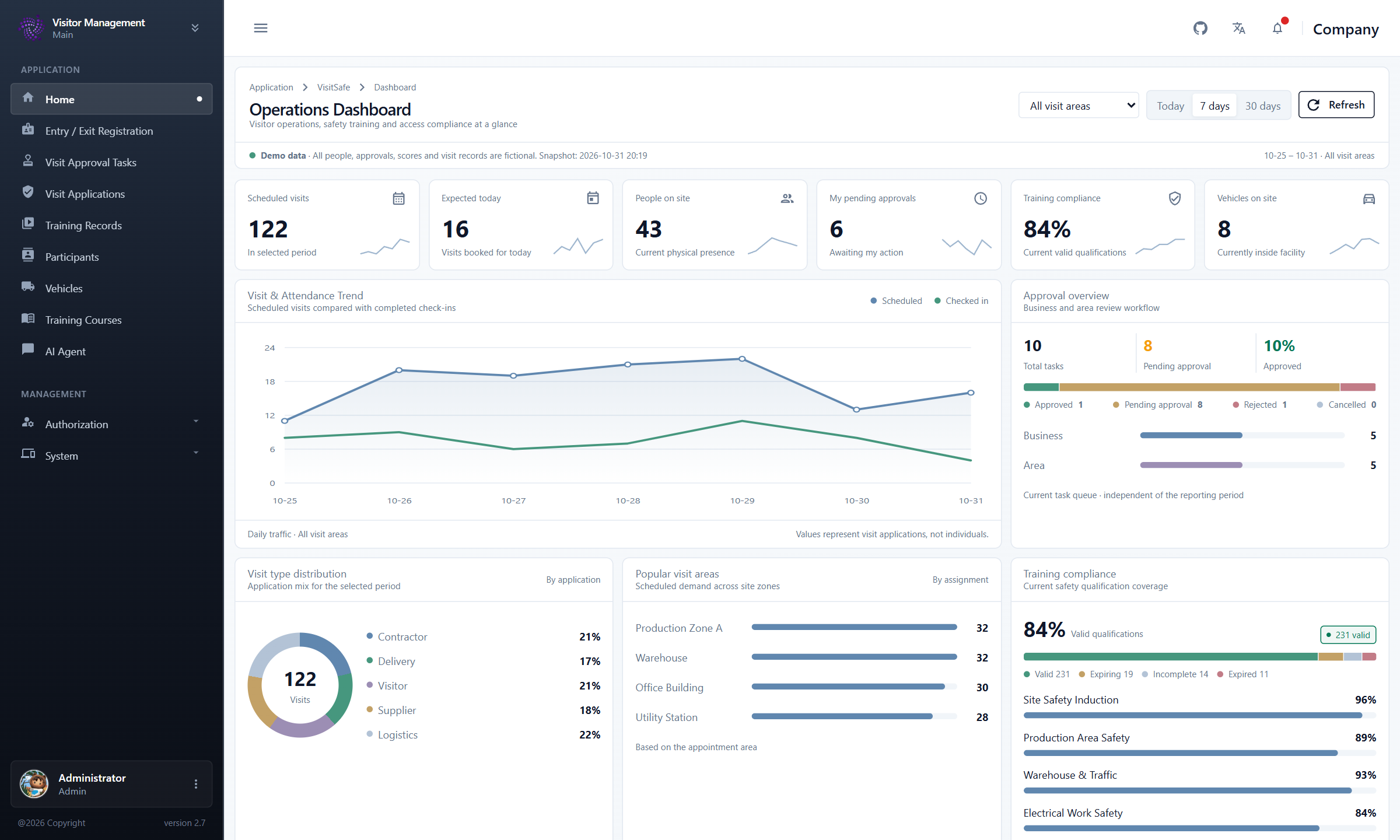
The dashboard provides an immediate overview of site activity filtered by destination area and date window (Today, 7D, 30D, 90D). Headline KPIs track Scheduled Visits, Expected Today, People on Site, Pending Approvals, and Vehicles on Site, supported by 30-day visit and attendance trend charts, approval status breakdowns, visit type distributions, and most-visited site areas.
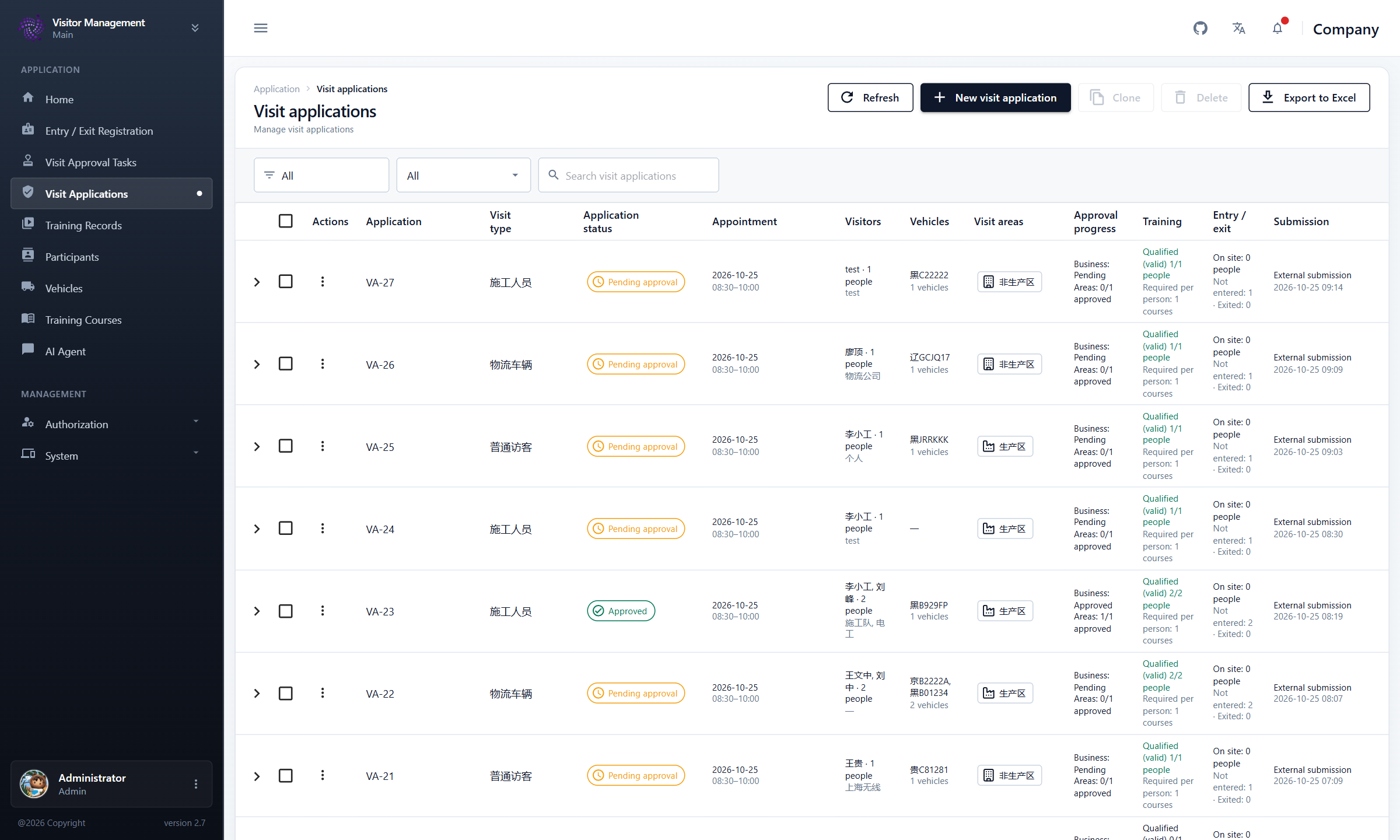
2. Visit Applications & Booking Management
The Visit Applications workspace lists all scheduled and historical applications (VA-21 to VA-27), displaying the visit type, status (Submitted, Approved, Active, Completed, Rejected), scheduled date and time slot, host, visitor headcount, vehicles, target areas, parallel approval progress (Business 1/1 · Area 2/2), and entry/exit progress. Authorized staff can also create delegated bookings directly from this view.
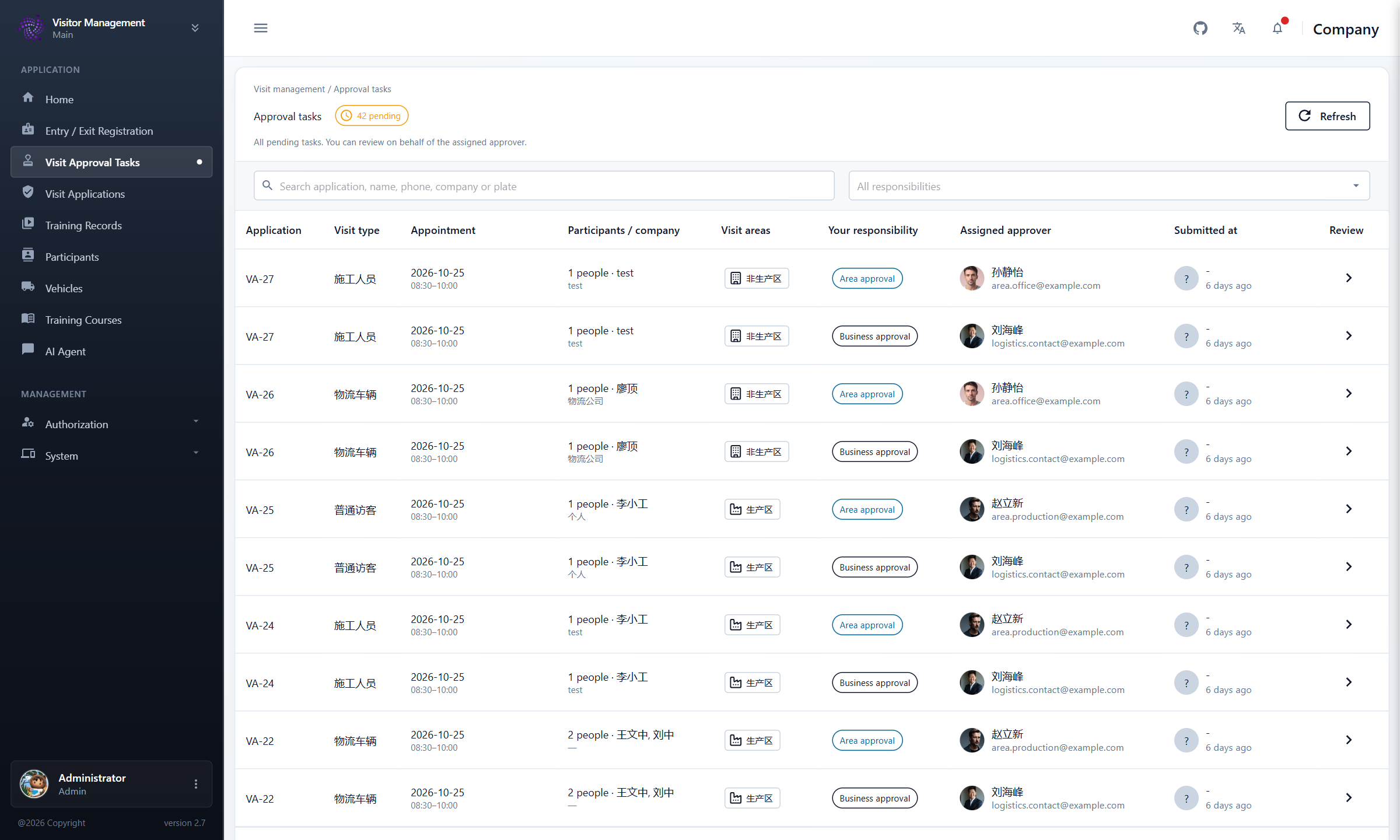
3. Dual-Track Business & Area Approval Tasks
To ensure both business legitimacy and zone security, the platform separates Business Approvals (handled by the host or business sponsor) from Area Approvals (handled by the owner of each requested zone such as Production, R&D Labs, Warehouse, or Utility Rooms). Each approval task records its own decision, reviewer, timestamp, and comments.
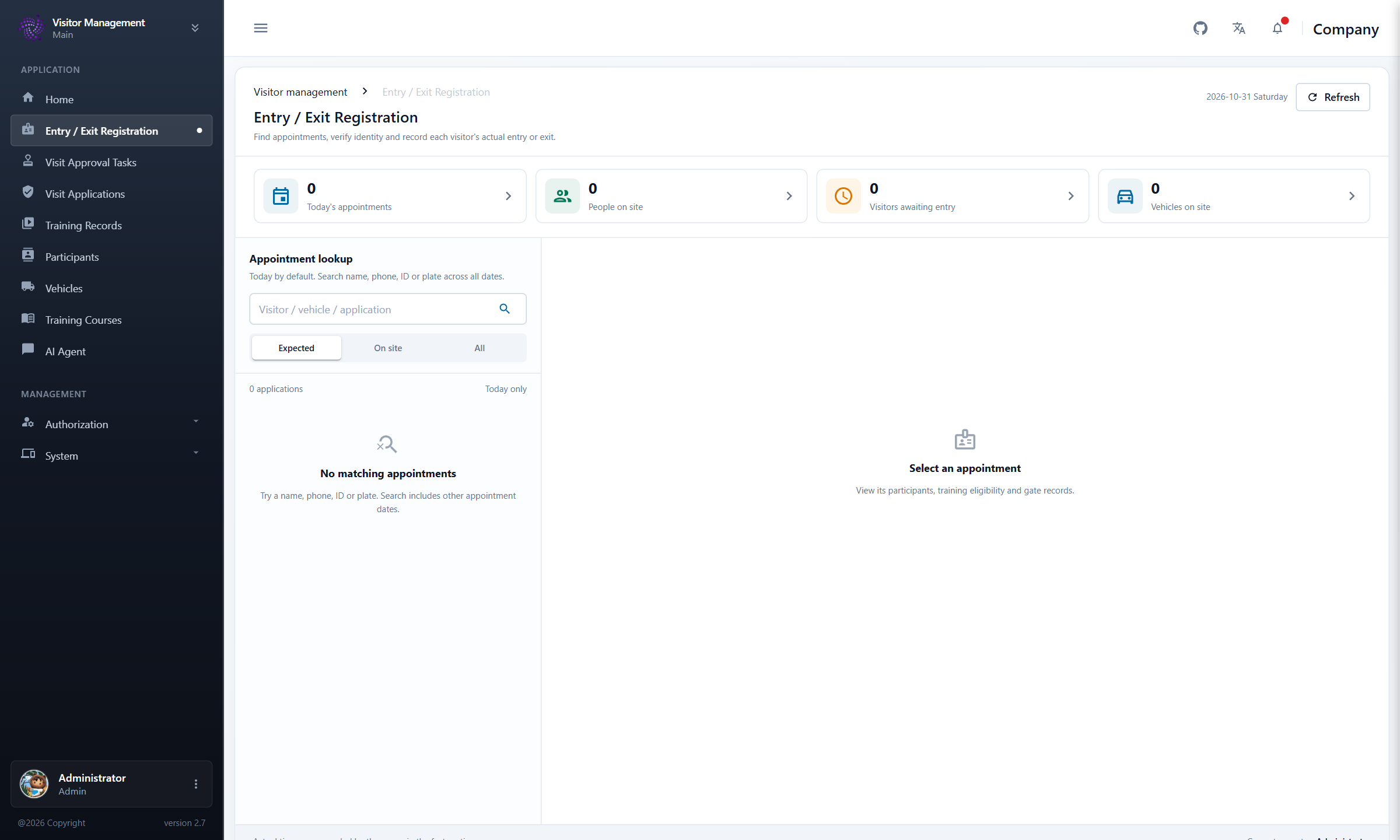
4. Gate Entry / Exit Registration Desk
Designed specifically for gate security and reception desks, the Entry / Exit Registration view displays real-time counters for today’s appointments, people currently on site, visitors awaiting entry, and vehicles on site. Staff can look up bookings by visitor name, phone, ID, vehicle plate, or application code, verify eligibility per person, and record exact check-in and check-out times.
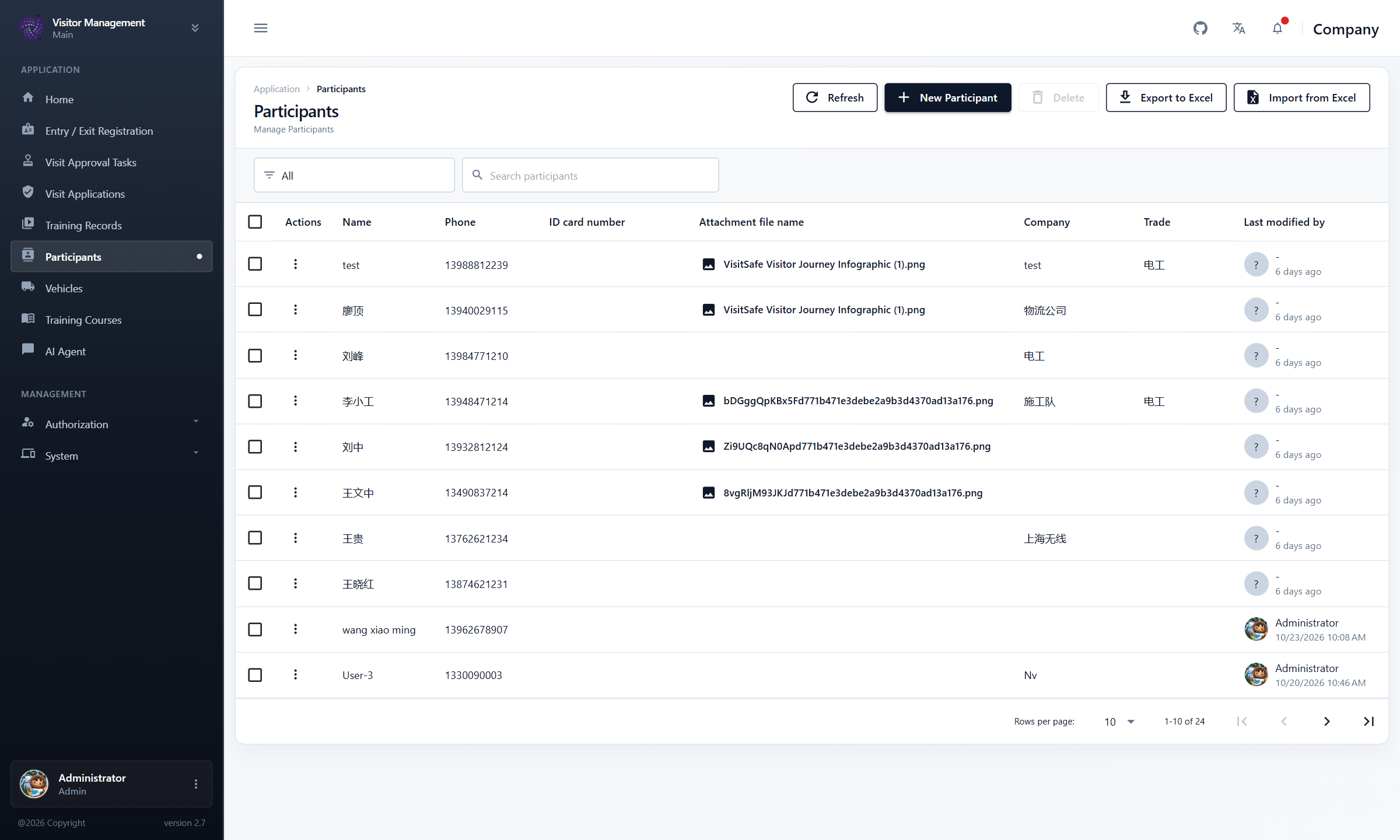
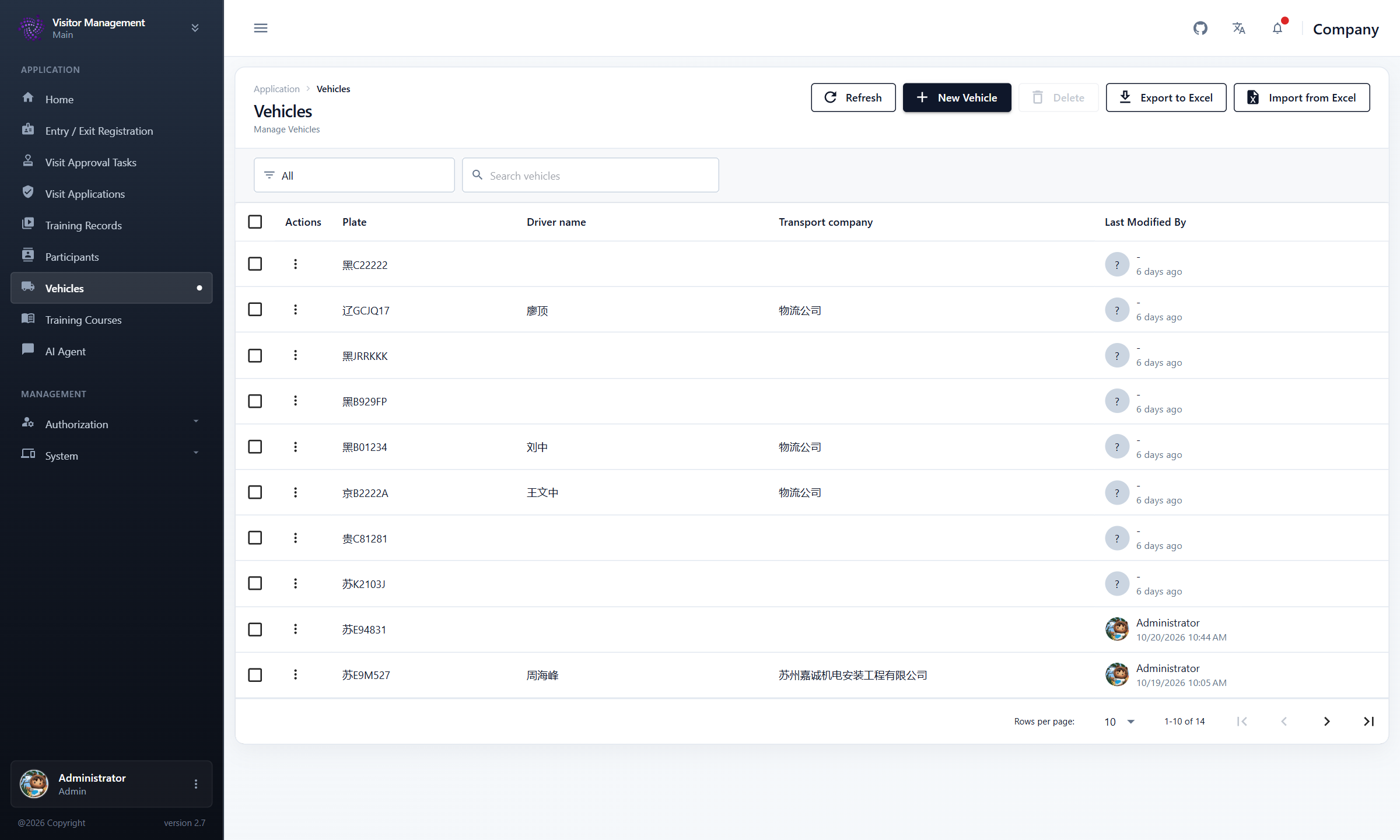
5. Reusable Participant & Vehicle Master Directories
The platform automatically builds searchable directories of external Participants and Vehicles. Reception and security teams can inspect a visitor’s contact details, organization, and visit history, or review a logistics vehicle’s license plate, vehicle type, driver information, and past site entries.
Technologies Used
- Core Framework: .NET 10 / ASP.NET Core (built on CleanArchitectureWithBlazorServer)
- Admin UI Framework: Blazor Server + MudBlazor
- Mobile Visitor UI: React 19 + TypeScript + Vite + Ant Design Mobile + Tailwind CSS
- API & Persistence: ASP.NET Minimal APIs (with strong
ETagconcurrency control) + Entity Framework Core + SQL Server 2025 - Security & Governance: Role-Based Access Control (RBAC), granular permission sets, and full audit logging
- Containerization: Docker & Docker Compose with prebuilt images on GitHub Container Registry (
GHCR)
Replace manual paper logbooks and fragmented approval chats with a modern, auditable visitor management platform that connects pre-registration, zone approvals, and gate access control.
Share on WeChat