 neo.js.cn@gmail.com
VisitSafe: Connected Visitor Management and Safety Training
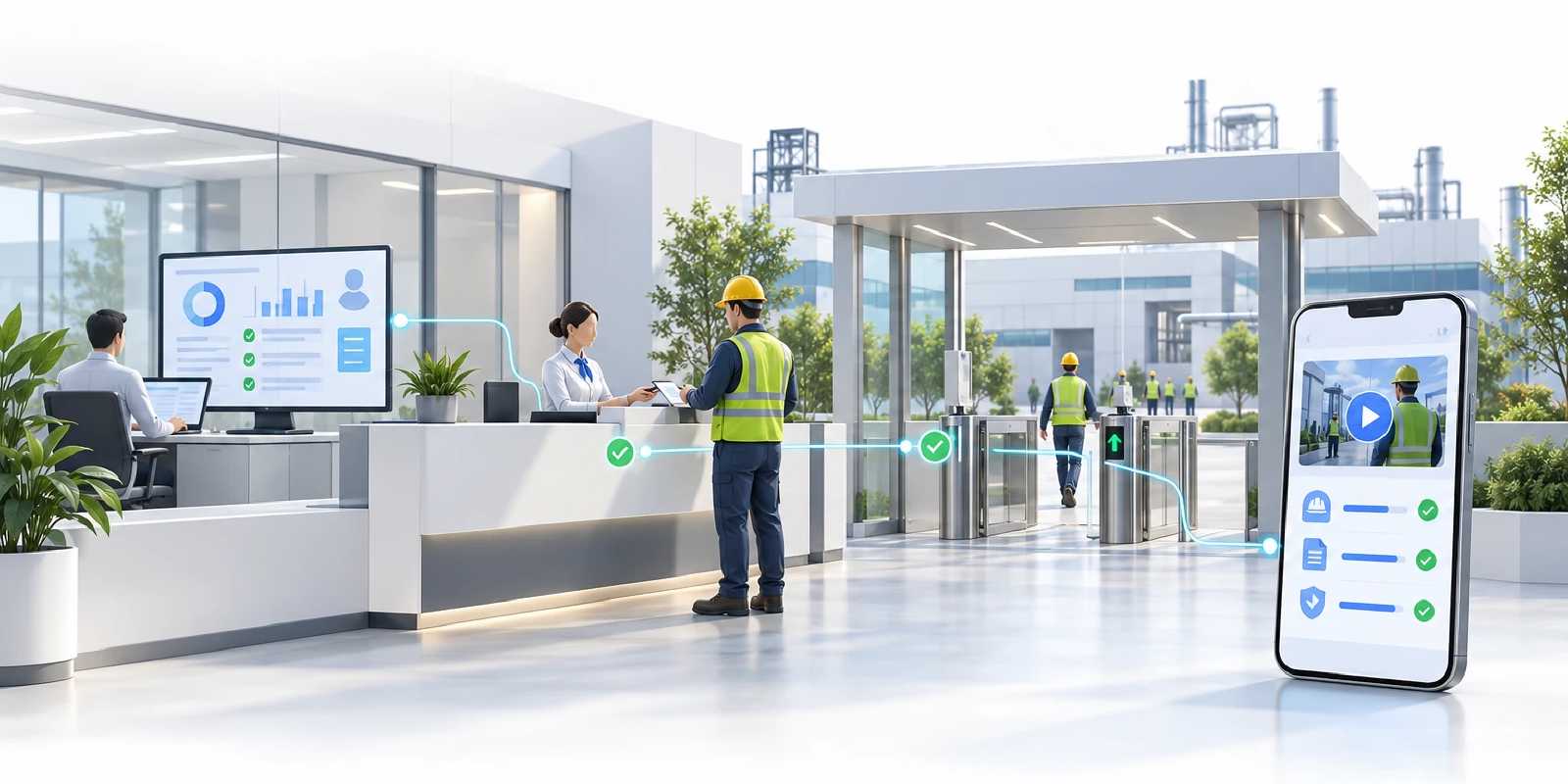
A safer visit starts before the gate.
A factory visit involves more than a name at reception. A host needs to confirm the purpose, area owners need to review access, safety teams need to assign the right learning, and gate staff need to determine whether each person is ready to enter.
VisitSafe brings visitor appointments, business and area approvals, safety training, exam results, and entry and exit records into one connected workflow. Visitors prepare on their phones while internal teams continue the same journey through a management workspace, with clear responsibilities and next steps.
Explore the demos and source repositories
| Entry point | Address and scope |
|---|---|
| Visitor and learning frontend | visit-safe.blazorserver.com: explore mobile entry points, personal training lookup, and Chinese and English interfaces |
| Backend management platform | visit-training.blazorserver.com: explore the operations dashboard and workspaces for applications, approvals, courses and training records |
| Frontend source repository | neozhu/visit-traning-client |
| Backend source repository | neozhu/visit-training-management |
Connect the work surrounding every visit
When visit details, approval decisions and training records live in separate spreadsheets, messages and paper files, reception and gate staff have to reconstruct the same context repeatedly. Who approved the visit? Which courses did this person pass? Are those results still valid? Is every accompanying person ready to enter?
VisitSafe is designed around these operational questions:
- Keep the visit together. Connect appointments, destinations, participants, vehicles and business information in one application.
- Make approval ownership visible. Record business decisions and the decisions for each selected area separately.
- Match learning to the visit. Use both registration type and destination areas to determine required courses, with progress and validity tracked by person.
- Check readiness individually. A participant who meets every requirement can be checked in while another participant continues their learning.
- Preserve the departure record. Keep entry and exit times, operators and the information used for the visit together for later review.
From mobile registration to a traceable departure
1. Choose a visit type and prepare the application
Visitors, logistics drivers and contractors start with an entry point suited to their visit. The registration type determines the applicable form, notice and vehicle requirements. A guided flow collects the appointment, host, visit purpose, people and destinations.
The product workflow also supports registration by an authorized employee on someone else’s behalf. Reusable participant and vehicle profiles reduce repeated entry, while each application retains the information used for that particular visit.
2. Run approvals and training in parallel
After submission, business and area reviews go to their respective owners while participants receive the courses required for their visit.
Time spent waiting for approval can also be time spent preparing. These activities proceed in parallel. Training can also be assigned in advance, without first creating a visit application.
3. Complete the relevant learning and preserve its validity
Courses can combine safety videos, supporting PDF materials, and single-choice or multiple-choice assessments. Progress, exam attempts, scores and expiry dates are associated with the person and course.
On a later visit, a valid passing result for the same person and course can satisfy that requirement again. Reuse preserves the original expiry date. Expired qualifications and newly required courses still need to be completed.
4. Verify entry readiness for each person
The gate workflow considers application approvals, notice acknowledgement, the appointment date, and the participant’s own current training requirements.
First entry must take place on the appointment date, evaluated in China Standard Time. The selected time slot is recorded for scheduling and display. Each participant is checked in and out separately, retaining the actual time and authorized operator.
5. Close the visit with its history intact
Participant departures, the departure of vehicles that entered, and application closure follow their applicable business conditions. Visit snapshots, approval decisions, exam attempts and entry and exit actions retain the context needed to review an earlier visit.
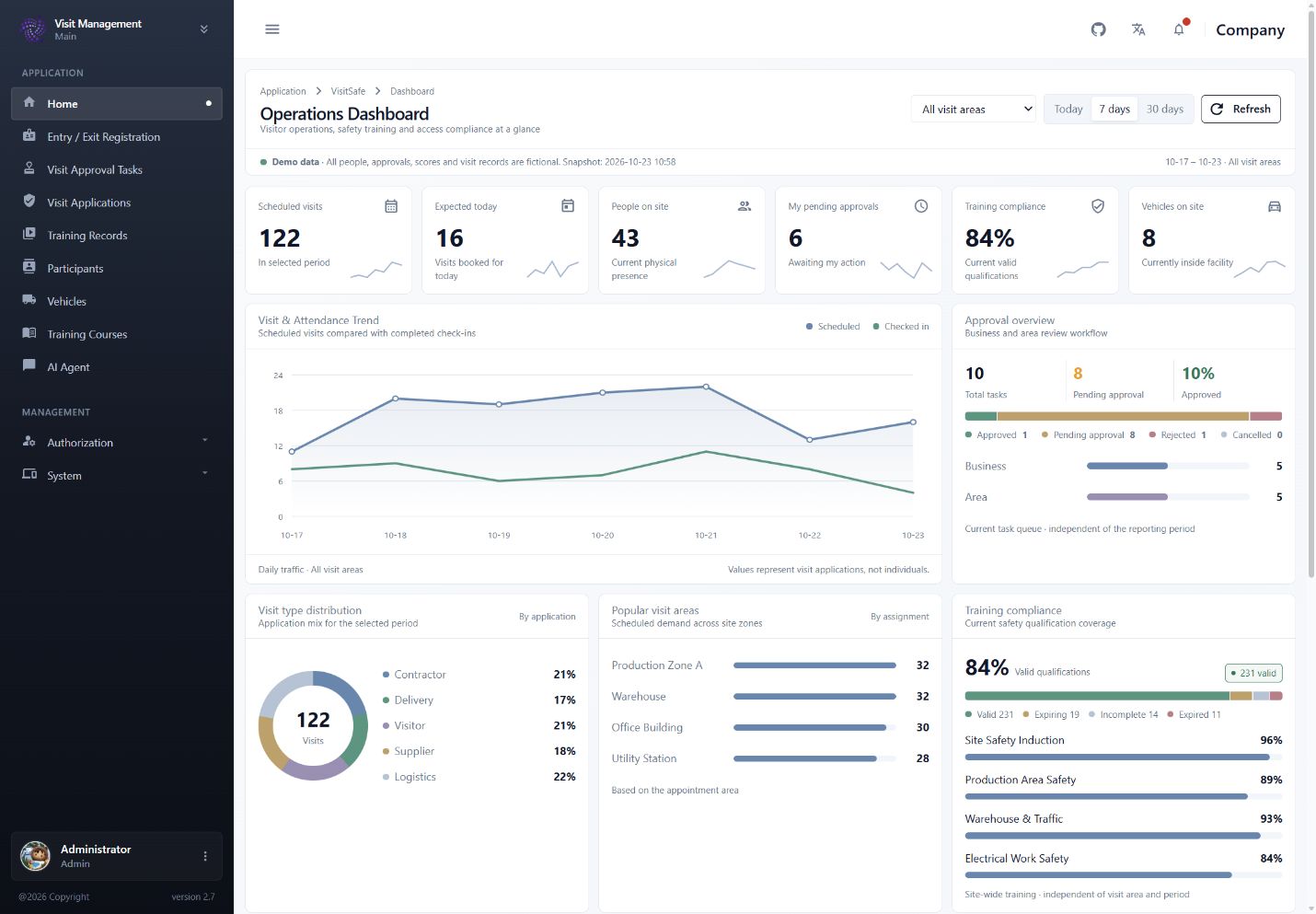
Live product screens
These screenshots were captured from the online demos. The mobile screens show the visitor entry points and personal training lookup. Both the registered name and phone number must match when finding assigned tasks; the lookup itself does not verify identity.
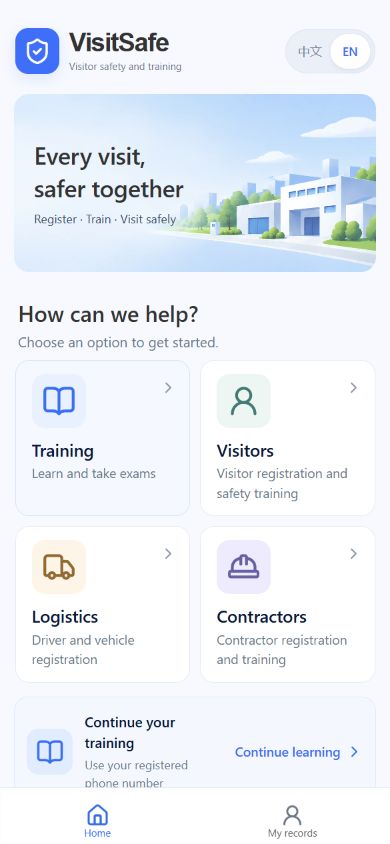
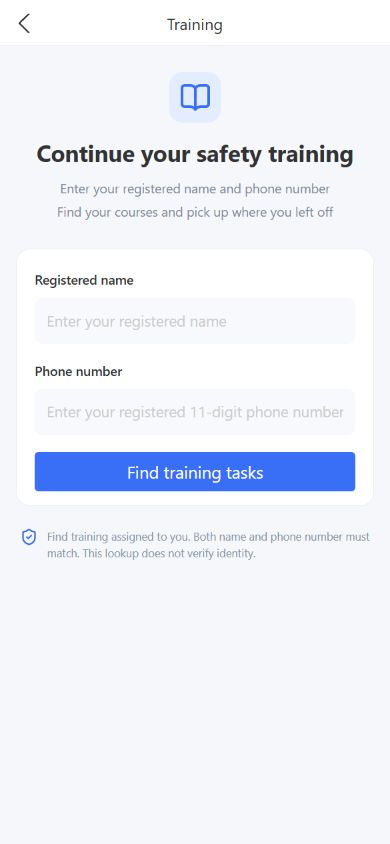
The management dashboard brings appointments, people on site, pending approvals, vehicles and training validity into one operational view. Area and time-period filters help teams understand upcoming demand and current readiness.
The visitor journey at a glance
The English overview connects registration, task creation, parallel approvals and learning, individual entry eligibility, departure and historical records. Question counts, passing scores and specific approval roles shown in the illustration are examples; the actual rules depend on the configured registration types, areas and courses.
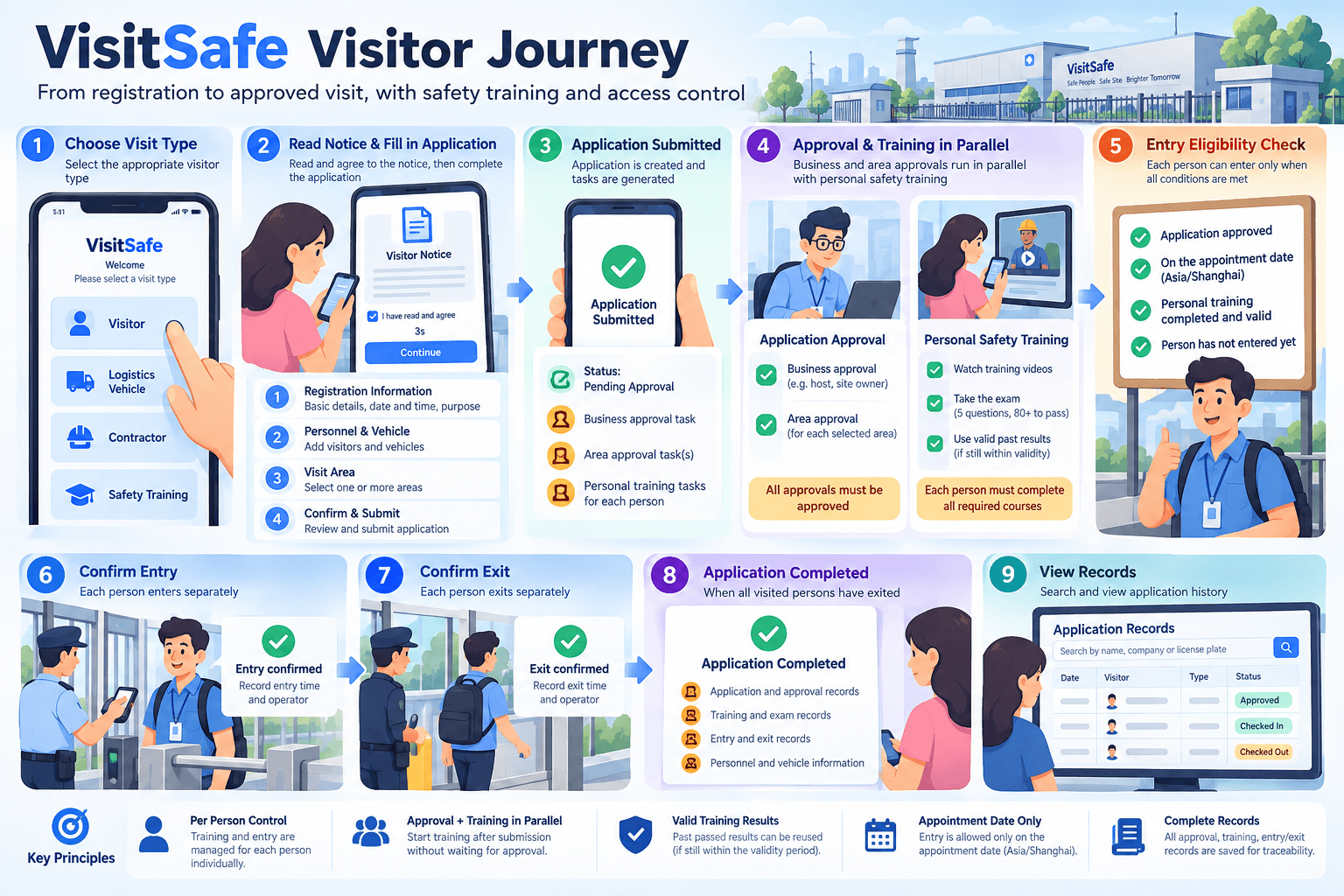
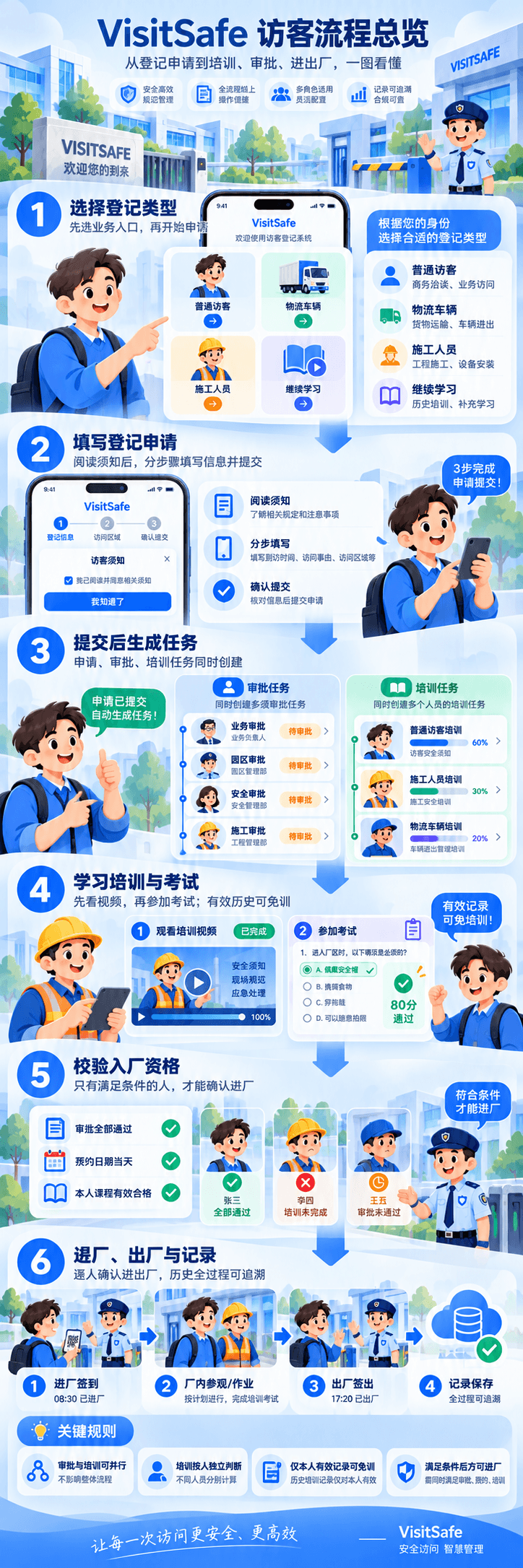
View the Chinese workflow guide: registration, training, approvals and site access
Different roles, one shared visit context
| Role | Operational question | Workspace responsibilities |
|---|---|---|
| Visitors, contractors and drivers | How do I register, what must I learn, and what is complete? | Mobile registration, task lookup, videos, exams and personal results |
| Reception and operations | Who is arriving, where are they going, and who or what accompanies them? | Applications, delegated registration, appointments, participant and vehicle profiles |
| Business and area approvers | Is the purpose and requested access appropriate? | Review assigned tasks and retain separate decisions for each responsibility |
| Safety teams | Which courses apply, and which qualifications remain valid? | Courses, question banks, validity periods, assignments and training records |
| Gate staff | Is this person ready to enter, and when did they leave? | Individual readiness checks and recorded entry and exit operations |
Architecture and deployment
VisitSafe separates the visitor’s mobile experience from the internal management workspace. APIs connect both experiences to shared business rules and data.
| Layer | Technology and purpose |
|---|---|
| Visitor and learning frontend | React, TypeScript, Vite, Ant Design Mobile and Tailwind CSS, designed around modern phone browsers |
| Management workspace | Blazor and CleanBlazorServerPro for business administration, users, roles, permissions and operation logs |
| Business APIs | ASP.NET Minimal APIs connecting the mobile frontend and management capabilities |
| Data and deployment | SQL Server, Docker Compose and GHCR images for deploying the frontend, backend and database together |
The product continues to evolve. This case study combines the project documentation with the current online demos; available features and integration scope depend on the deployed version and project documentation. The cover is a conceptual illustration, while the product screens are authentic browser captures.
Start with a clear visit scenario
Factory reception, contractor onboarding, logistics arrivals and industrial-site safety learning share a useful starting point: who is coming, where they need to go, who is responsible, and what preparation is required.
VisitSafe connects those answers to the same visit. Participants can see their next step, responsible teams can identify their work, gate staff can check readiness, and operations can review the record afterwards.
Explore the visitor and learning portal · View the management platform · Frontend source · Backend source